With some time off I decided to spend some time looking into a suitable mesh network to secure communication between pods. Istio appears to be the most mature and robust platform but has very limited support for Arm64 platforms (such as my raspberry pi cluster), and as it uses a customized version of the envoy proxy there's a lot of work required to get things up and running.
Micrsoft just realeased a new offering in this space that is apparently much simpler called Open Service Mesh. I thought I'd make a start at learning about mesh networks puzzling this out.
Step 1 - A working Envoy proxy
Envoy also appears to have limited support for Arm64, but using the handy guide from Steve Sloka, and a few false starts I was able to successfully compile envoy's 1.15 release. A few tips if you're ever looking to do the same:
Bazel is a bit messy to compile and set up - ensure you have enough time set aside to get it up and running. There appears to be version compatibility issues between different releases, so I'd stick with the version envoy is looking for with your current release.
Ensure that you have sufficient swap space configured. My 4GB pi 4 was configured as part of a kubernetes cluster (with swap disabled) so I did need to ensure that I'd allocated sufficient swap space for the bazel compiler to work.
Step 2 - A working Osm deployment.
Like a lot of other kubernetes offerings OSM is a mix up of code and pre-published docker images. The code can be compiled for non-x86 systems, but the docker images used in the built process or embedded in code are x86 specific.
As a result I had to modify a bit of the OSM code to make thints work out.
- Zipkin did not have a suitable Arm64 image.
- The OSM controller also did not have a suitable image.
- The helm charts responsible for installing the platform referenced an x86 only version of envoy.
To get this all working I set up a few new repositories in docker hub to hold the arm64 specific variants of thes systems.
- Zipkin
- OSM Controller - this took some tweaks to the OSM code as the Makefile was configured to build for x86 only.
- OSM-init
- Envoy
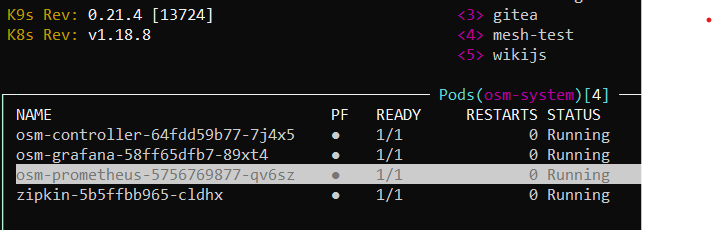
With some modifications to the helm scripts and deployments I managed to get what appears to be working deployment up annd running. Testing this caused some additional challenges I'm yet to work out though.
Step 3 - Testing OSM with a small mesh.
In terms of testing the OSM mesh I thought to introduce a simple back end service and front end webserver that I could set up and then overlay the mesh to test how it works.
I built out a simple system called Mesh-test with helm charts and docker images to manage deployment.
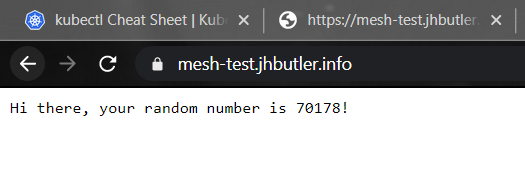
The system has a simple back-end service that generates a random number when called on port 8081 for url "/api". The front end calls this service and renders a simple message.
Unfortunately that's about as far as I've managed to get. While I can successfully initiate OSM in the mesh-test namespace built for this purpse, things start to fall apart. I can then observe the envoy sidecars injected into the working containers, at which point everything struggles to communicate. From what I can tell envoy needs some additional information on routes that it is not receiving from the OSM controller, so there is likely some additonal information needed to be passed through the SMI traffic Access Control and traffic specs that I'm missing. Being a bit exhausted after getting this far I'm going to put this aside for now and revisit when I have a bit more headspace to troubleshoot this further.